
All posts
How to Take Progress Photos for Weight Loss (and Actually Compare Them)
Take consistent weight-loss progress photos, compare multi-angle check-ins, protect your privacy, and track them in the BodyBuddy app.
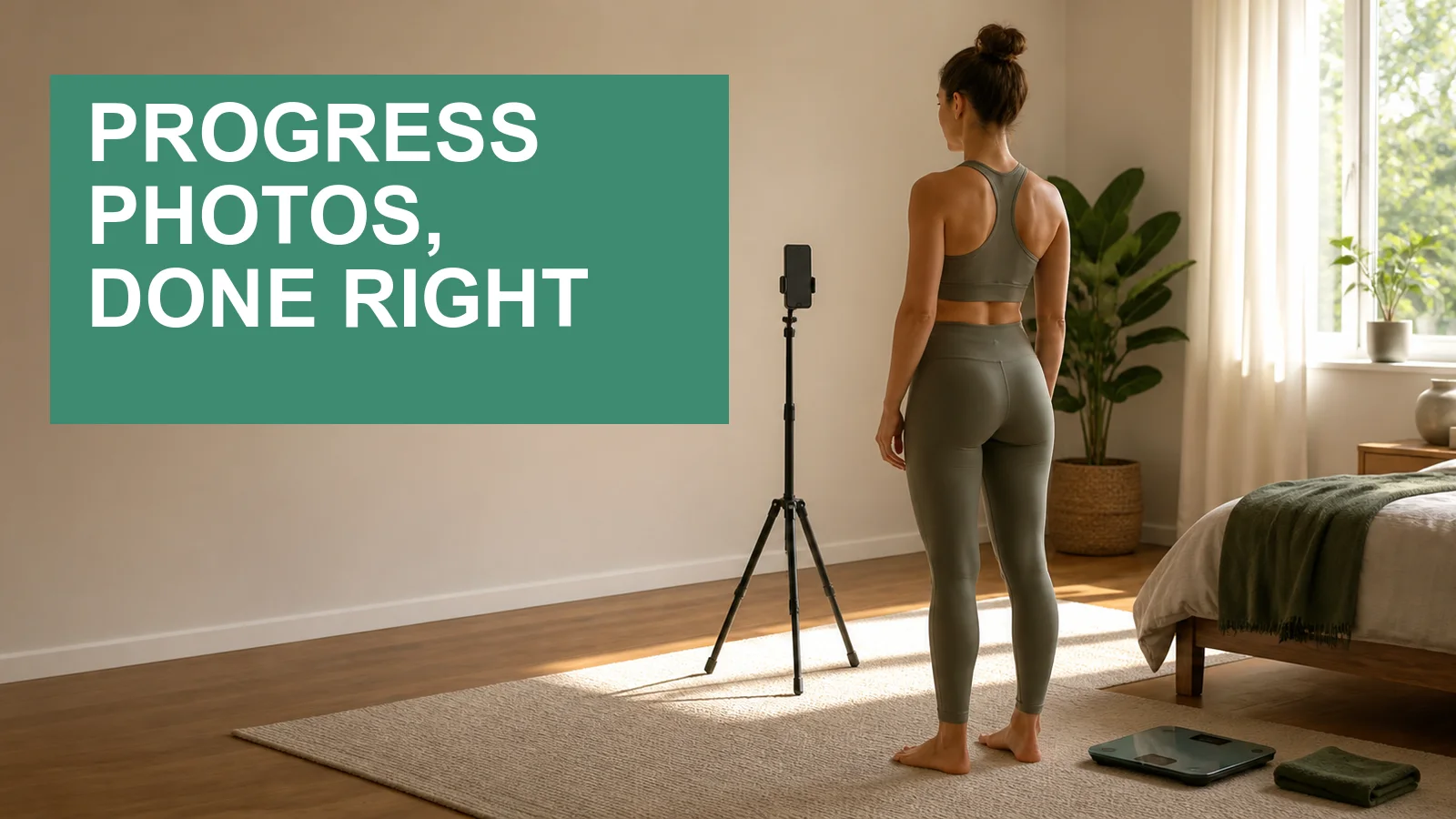
A progress photo is only useful when you can compare it fairly with the next one. Change the camera height, pose, clothing, or lighting and the picture may look dramatically different even when your body has barely changed.
The fix is simple: make the setup repeatable. This guide shows you how to take weight-loss or fitness progress photos that are consistent, private, and genuinely useful—and how to keep multiple angles together in the BodyBuddy app.
Disclosure: This guide was written by the creators of BodyBuddy. It describes the current progress-photo features in the BodyBuddy app.
The short version
For progress photos you can actually compare:
- use the same room and a plain background;
- place your phone at the same height and distance;
- use similar lighting and time of day;
- wear the same or similarly fitted clothing;
- repeat the same relaxed poses;
- take front, side, and back views;
- space check-ins far enough apart that you are not reacting to every small visual fluctuation; and
- keep the photos private unless you deliberately choose to share them.
A two- to four-week rhythm works well for many people because it is frequent enough to maintain a record without turning the process into a daily body check. The exact interval matters less than using a cadence you can repeat.
How to take consistent progress photos
1. Pick one boring location
A plain wall is ideal. Busy rooms add visual noise, and a different background can make two photos feel less comparable than they really are.
Choose a spot where you can reliably recreate the setup. If possible, put a small removable marker where the tripod and your feet go. That removes guesswork next time.
2. Keep the camera level
Place the phone on a tripod or stable surface rather than holding it at arm’s length. Set the lens around the middle of your torso and keep the phone upright.
Moving the camera higher, lower, closer, or farther away changes perspective. A consistent distance and camera height matter more than finding the most flattering angle.
Use the rear camera with a timer if that is comfortable. The front camera is fine too; consistency beats camera quality.
3. Repeat the light, clothing, and pose
Try to use the same natural light or the same room lights each time. Avoid taking one photo in soft daylight and the next under a harsh overhead light.
Wear the same outfit, or clothing with a similar fit. You do not need revealing photos. A fitted shirt and shorts can make alignment easier while still feeling comfortable.
Stand naturally. Do not compare one relaxed photo with another taken while flexing, twisting, or pulling clothing into place. The goal is a fair record, not the most dramatic transformation card.
This physician-reviewed progress-photo guide reaches the same practical conclusion: keep the clothes, pose, room, lighting, time of day, and camera angle consistent.

This synthetic example is intentionally not a dramatic before-and-after. Its purpose is to show repeatable framing.
4. Capture more than one angle
One photo cannot show every useful change. A simple check-in can include:
- front;
- side; and
- back.
Take each from the same camera position. If three angles feel excessive, choose one front view and one side view and keep those consistent.
The BodyBuddy app supports up to 10 photos on one weight entry, so the angles from a single check-in stay together instead of becoming separate, unlabeled pictures in your camera roll.
5. Add context without writing an essay
The date is essential. A short note can explain something that would otherwise confuse the comparison:
- “morning, before breakfast”;
- “end of strength block”;
- “same room, light, and pose”; or
- “returning after two weeks off.”
Avoid judging the photo in the note. Record the setup and context; decide what the trend means only after you have enough distance to compare it calmly.
How progress photos work in the BodyBuddy app
Open the Weight screen in the BodyBuddy app and tap + to create a check-in. You can log your weight, date, a short note, and one or more photos from your camera or photo library.
Each entry in your history shows how many photos belong to that check-in. Once at least two entries have photos, tap Compare, select the two dates, and review them side by side.


You can save or share the comparison if you choose. Treat anything you share as a copy another person may keep or screenshot, even if you later remove your own version.
Progress photos are optional. You can use the weight log without photos, and you can use photos without treating the scale as the only measure that matters.
You can also text a progress photo to BodyBuddy
You do not have to open the Weight screen every time.
Send a progress photo to BodyBuddy over text and say what it is—for example, “save this as today’s progress photo.” BodyBuddy can add it to your progress history. If there is no suitable recent weigh-in to attach it to, BodyBuddy may ask you for the current weight or help create the check-in first.
This is also useful during a challenge with a photo requirement. If you are following 75 Hard or a modified version, see 75 Hard vs. 75 Medium vs. 75 Soft for a practical comparison of the rules and tradeoffs.
There is an important boundary: BodyBuddy is instructed not to comment on your body, shape, appearance, visible progress, or “transformation.” The photo can be saved and counted as an accountability action, but BodyBuddy is not a physique judge or an AI body-fat scanner.
That is deliberate. A photo can document a check-in without turning your coach into a running commentary on how your body looks.
What progress photos can—and cannot—tell you
Progress photos can help preserve a visual record that is easy to forget in the mirror.
They cannot tell you:
- your body-fat percentage;
- whether a health change is medically safe;
- why your weight changed;
- whether a specific diet or training plan caused the change; or
- how healthy you are.
Lighting, posture, hydration, clothing, digestion, and camera position can all affect appearance. Use photos as one piece of context alongside how you feel, how clothing fits, what you can do, and any measurements a qualified professional has asked you to track.
If taking body photos makes you anxious, compulsive, or unusually self-critical, skip them. A tracking method is only useful if it helps you act on your goals without making daily life worse.
Privacy: know where the photos go
Progress photos in the BodyBuddy app are not stored only on your phone.
According to the current BodyBuddy Privacy Policy, uploaded photos may be processed by third-party AI providers and are stored using Amazon Web Services. The policy says photos and message history are retained for progress tracking and service improvement, and that you can request deletion through account settings or by contacting support@bodybuddy.app.
Before uploading:
- crop out faces, mail, medication labels, reflections, or anything else you do not want stored;
- avoid including another person;
- send only photos you are comfortable keeping with your account;
- review a comparison before sharing it; and
- read the Consumer Health Data Privacy Policy if you want the full details on access and deletion rights.
Deleting your account removes data from active systems on the timeline described in the policy. It cannot remove copies somebody else made after you shared a comparison.
Common progress-photo mistakes
Taking photos too often
Daily pictures invite you to inspect tiny changes that may be lighting, posture, or normal variation. A less frequent, consistent check-in is easier to interpret.
Changing the pose to make the “after” look better
A stronger pose can be encouraging, but it is not a clean comparison. Keep a separate photo if you want a celebratory pose.
Using the scale as the caption
A lower number does not automatically make one photo “better.” Include weight if it helps your goal, but preserve other context too.
Letting photos pile up without dates
An unlabeled camera roll creates work later. Put each set into a dated check-in as you take it.
Sharing by default
You do not owe anyone a before-and-after photo. Keep the record private unless sharing serves a purpose you chose.
Frequently asked questions
How often should I take weight-loss progress photos?
Every two to four weeks is a practical starting point. Choose an interval you can repeat under similar conditions. If photos lead to frequent body checking, use a longer interval or stop using them.
What should I wear?
Wear whatever feels comfortable and lets you recreate the same silhouette. Similar fitted clothing is usually easier to compare than loose or changing outfits, but revealing clothing is not required.
Which angles should I take?
Front, side, and back provide the clearest multi-angle record. Two consistent angles are still more useful than five inconsistent ones.
Can I add several photos to one check-in?
Yes. The BodyBuddy app currently supports up to 10 photos on one weight entry.
Can I send the photo over text?
Yes. Send the image to BodyBuddy and say that it is a progress photo. BodyBuddy can save it with your progress check-in and may ask for a weight if the photo needs a new entry.
Will BodyBuddy analyze how my body looks?
No. BodyBuddy is instructed not to comment on appearance, body shape, visible progress, or transformation. The feature is for recording and accountability, not aesthetic judgment or body-fat estimation.
Do I have to log my weight?
No. Photos are optional context, and the Weight screen can also contain weight-only entries. If you text a photo without a suitable check-in, BodyBuddy may ask whether you want to add one.
Are progress photos private?
They are stored with your account and are not public by default, but they leave your device when uploaded. Sharing is optional. Review the privacy policies and avoid uploading anything you would not want stored.
Make the next photo comparable
The most useful progress-photo setup is not elaborate. It is the one you can reproduce: same spot, same phone position, same light, same clothing, same poses.
Then put the check-ins somewhere you can compare them without hunting through your camera roll. The BodyBuddy app keeps multi-angle photos, weight, dates, and notes together—and BodyBuddy can follow up over text without judging how you look.
Related BodyBuddy guides
- Best home workouts for weight loss (no equipment needed)
- Best Weight Loss Accountability Apps (2026): 7 Compared
- How to Make Progress at F45 When Every Workout Is Different
- Accountability Partner vs. Accountability App: Which One Actually Helps You Lose Weight?
- Simple App Alternative: BodyBuddy vs Simple (2026)
Everyone gives you a plan.BodyBuddy texts you until it happens.
BodyBuddy keeps you on track—from meals to doctor's appointments and everything in between.