
← All posts
FrancisRoundups
7 best free weight loss apps in 2026
A practical BodyBuddy guide to 7 best free weight loss apps in 2026, with useful considerations and next steps.
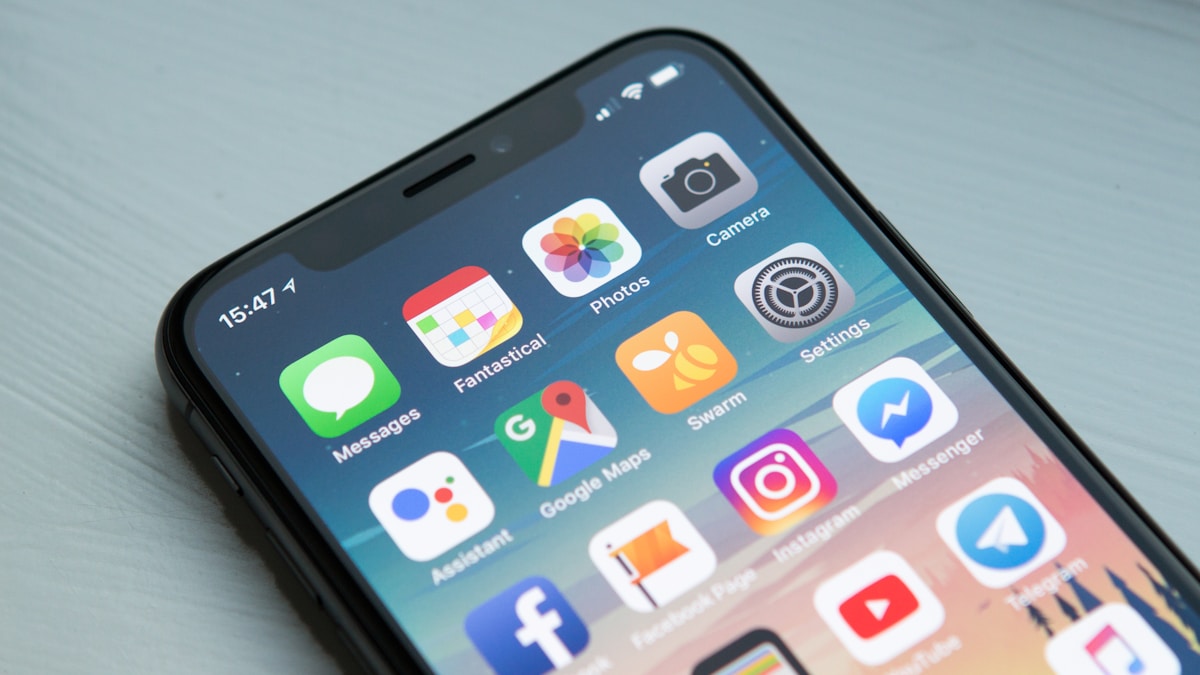
Most weight loss apps charge around $5 to $30 per month. That adds up to hundreds of dollars a year for features you might not even use. The good news is that several weight loss apps work well enough on their free tier to get results without opening your wallet. I tested and compared seven that offer genuinely useful free versions, from calorie trackers to built-in phone health dashboards. Here is what each one does well, where it falls short, and which one fits your situation. I also added a bonus pick at the end for anyone who has tried the free route and bounced off it.
A quick note on what "free" means here. Some apps are completely free. Others use a freemium model where the basic version costs nothing but premium features require a subscription. I have noted the differences for each one.
1. MyFitnessPal
MyFitnessPal has been around since 2005 and remains the default calorie tracker for most people. Its food database has over 14 million entries, which means you can find almost anything by searching or scanning a barcode. The free version lets you log meals, track calories, and see basic macronutrient breakdowns.
The free version got more limited in recent years. You used to get detailed macro tracking for free, but now that sits behind the premium paywall ($24.99/month or $24.99/month). The barcode scanner still works on free, which is the feature most people actually need.
Pros:
- Largest food database available
- Barcode scanner works on free version
- Integrates with most fitness trackers and smart scales
Cons:
- free version has ads everywhere
- Macro goals locked behind premium
- No coaching or guidance, just tracking
Best for: People who want a straightforward calorie counter and already know their nutrition targets.
2. Lose It!
Lose It! takes a friendlier approach to calorie tracking than MyFitnessPal. The interface is cleaner, and the free version is more generous. You get a daily calorie budget based on your goal weight, food logging with a barcode scanner, and basic progress charts without paying anything.
The Snap It feature lets you take a photo of your food and the app estimates what it is. It works reasonably well for simple meals but struggles with mixed dishes. Premium runs $24.99/month and adds meal planning, macronutrient goals, and water tracking.
Pros:
- Clean, intuitive interface
- Photo food logging on the free version
- Cheaper premium than most competitors
Cons:
- Smaller food database than MyFitnessPal
- Photo recognition can be inaccurate
Best for: Beginners who find MyFitnessPal overwhelming and want something simpler.
3. fatsecret
fatsecret is the most underrated free weight loss app. Unlike MyFitnessPal and Lose It!, which constantly push you toward premium, fatsecret gives away nearly everything for free. Calorie tracking, macro breakdowns, a food diary, exercise logging, and even a recipe library all cost nothing.
The trade-off is that the interface looks dated compared to its competitors. It functions well, but it won't win any design awards. fatsecret Premium ($10.49/month) adds meal plans and advanced reporting, but honestly the free version covers what most people need.
Pros:
- Most complete free version of any calorie tracker
- No ads on the free version
- Community forums for support
Cons:
- Outdated interface
- Fewer device integrations than MyFitnessPal
Best for: People who want full calorie and macro tracking without paying a cent and don't care about pretty design.
4. Cronometer
Cronometer is the pick for anyone who cares about micronutrients, not just calories and protein. The free version tracks over 80 nutrients including vitamins, minerals, and amino acids. Its food database is smaller than MyFitnessPal's, but the entries are more accurate because Cronometer uses verified data sources like the USDA and NCCDB rather than user-submitted entries.
The Gold subscription ($10.99/month) adds a food timestamp feature, fasting timer, and custom charts. But the free version already provides more nutritional detail than most paid apps.
Pros:
- Tracks 80+ micronutrients for free
- Verified, accurate food data
- Popular with keto and low-carb dieters
Cons:
- Steeper learning curve
- Smaller food database means more manual entry
Best for: Nutrition nerds who want detailed micronutrient data and people following specific diets like keto or vegan.
5. Apple Health
If you have an iPhone, you already have a health tracker installed. Apple Health ships on every iPhone and aggregates data across steps, workouts, sleep, weight, and nutrition. For food logging it relies on other apps writing data into it, which makes it more of a central dashboard than a standalone food tracker.
The upside: it costs nothing and is already on your phone. Paired with MyFitnessPal or Lose It!'s free tier, it becomes a useful place to see trends across sleep, weight, and activity. If you own an Apple Watch, the integration is automatic.
Pros:
- Completely free with no premium tier
- Pre-installed on every iPhone
- Seamless integration with Apple Watch and third-party apps
Cons:
- Needs a third-party app for food logging
- Less useful on its own than dedicated trackers
Best for: iPhone users, especially Apple Watch owners, who want one place to see all their health data.
6. Samsung Health
Samsung Health is Android's answer, and more self-contained than Apple Health. It has a built-in food diary with calorie counting, step tracking, weight tracking, workouts, and sleep. It also offers guided workout programs and group challenges you can do with friends. No premium tier.
Pros:
- Completely free with built-in food logging
- Guided workouts and group challenges
- Pre-installed on Samsung Galaxy phones
Cons:
- Smaller food database than dedicated trackers
- Best experience requires Samsung hardware
Best for: Android users (especially Samsung owners) who want a free all-in-one tracker without downloading a new app.
7. Yazio
Yazio is a German-made calorie tracker that has been gaining ground in the US. The free version offers food logging, a barcode scanner, a water tracker, and intermittent fasting timers. That last feature is notable because most apps charge for fasting tools.
The app's design is modern and easy to navigate. Yazio Pro ($6.99/month) adds recipes, meal plans, and detailed nutrient tracking. The free version strikes a nice balance between simplicity and usefulness.
Pros:
- Free intermittent fasting timer
- Well-designed interface
- Affordable premium if you decide to upgrade
Cons:
- Some recipes only available in German
- free version limits daily meal logging views
Best for: People interested in combining calorie tracking with intermittent fasting.
Bonus pick: BodyBuddy (worth the spend if free has not worked)
Full disclosure: BodyBuddy is our app, so weigh this recommendation accordingly. It is not free. It costs $29 per month after a free trial. I am including it because most people reading a "best free apps" article are on their third or fourth attempt to find one that sticks. If that sounds familiar, the free route may not be your real problem.
BodyBuddy works through iMessage rather than a dedicated app. You text a coach what you ate in plain language, ask nutrition questions, or check in about your day. The AI remembers your goals and adjusts advice over time. There is no food database to scroll and no manual entry friction. A companion iPhone app handles photo meal tracking and a "Future You" avatar projection.
BodyBuddy is built around one well-studied psychological lever: daily accountability. Behavior change research keeps landing on the same finding — people who have someone to report to every day are the ones who stick with their plan. That is why BodyBuddy is paid, not free. Sustained daily coaching takes real infrastructure, and the premium is what makes the accountability actually work.
Start a free trial at bodybuddy.app. If the coaching model does not click within a few days, go with one of the free options above.
How to pick the best free weight loss app for you
The right app depends on what has tripped you up before. If you love data and want to track every vitamin and mineral, Cronometer is your best bet. If you just need a simple calorie counter with a big food database, MyFitnessPal or Lose It! will do the job. If you have tried calorie counting before and gave up because the manual logging felt like a chore, none of the free options above will fix that on their own. See the bonus pick at the end.
My honest suggestion: try two apps for a week each. You will know within a few days which one fits your habits. The app that you actually open and use consistently is the best one, regardless of features.
Frequently asked questions
Are free weight loss apps effective?
Yes, if you use them consistently. A 2023 study in the Journal of Medical Internet Research found that people who tracked food with any app, free or paid, lost more weight than those who did not track at all. The specific app matters less than the habit of paying attention to what you eat.
What is the difference between free and paid weight loss apps?
Free tiers usually cover basic calorie tracking and food logging. Paid versions add features like detailed macro targets, meal plans, coaching, and ad-free experiences. For many people, the Free tiers provide enough functionality to lose weight. You can always upgrade later if you hit a wall.
Can I lose weight with just an app and no personal trainer?
Yes. Weight loss comes down to eating fewer calories than you burn. An app that helps you monitor your intake and stay accountable can replace the tracking role a trainer plays. If you also want motivational support, coaching-based apps (usually paid) can provide that piece. BodyBuddy is one option, detailed in the bonus pick below.
Do I need to track calories forever?
No. Most people benefit from tracking for a few months to build awareness of portion sizes and calorie density. After that, many find they can estimate well enough to maintain their weight without logging every meal. Think of it as training wheels.
Which free weight loss app has the best food database?
MyFitnessPal has the largest database with over 14 million foods. Cronometer has a smaller but more accurate database using verified sources. If sheer volume matters to you, go with MyFitnessPal. If accuracy matters more, pick Cronometer.
The bottom line
You do not need to spend money to start losing weight with an app. Every one of the seven apps above offers a free tier that covers the basics. The key is matching the app to how you actually want to interact with it. If you like manual data entry, a traditional tracker like MyFitnessPal or fatsecret will feel natural. If you have tried the free route already and it did not stick, the bonus pick (BodyBuddy) is worth a look, though note it is paid after the trial.
Whatever you pick, start today. The perfect app is the one you will actually use tomorrow too.
Next steps
Related BodyBuddy guides
- 9 Best AI Weight Loss Apps of 2026: Honest Comparison
- Weight loss vs fat loss: what's the difference (and why it matters)
- 7 Best Paid Weight Loss Apps of 2026
- Insulin resistance and weight loss: why your body fights fat loss (and how to fix it)
- 7 Best Fitness Apps for Weight Loss (2026): What Each Does Best
Everyone gives you a plan.BodyBuddy texts you until it happens.
BodyBuddy keeps you on track—from meals to doctor's appointments and everything in between.