
← All posts
FrancisRoundups
9 Best AI Weight Loss Apps of 2026: Honest Comparison
Compare AI weight loss apps for coaching, food logging, adaptive calories, meal planning, and accountability, with honest tradeoffs.
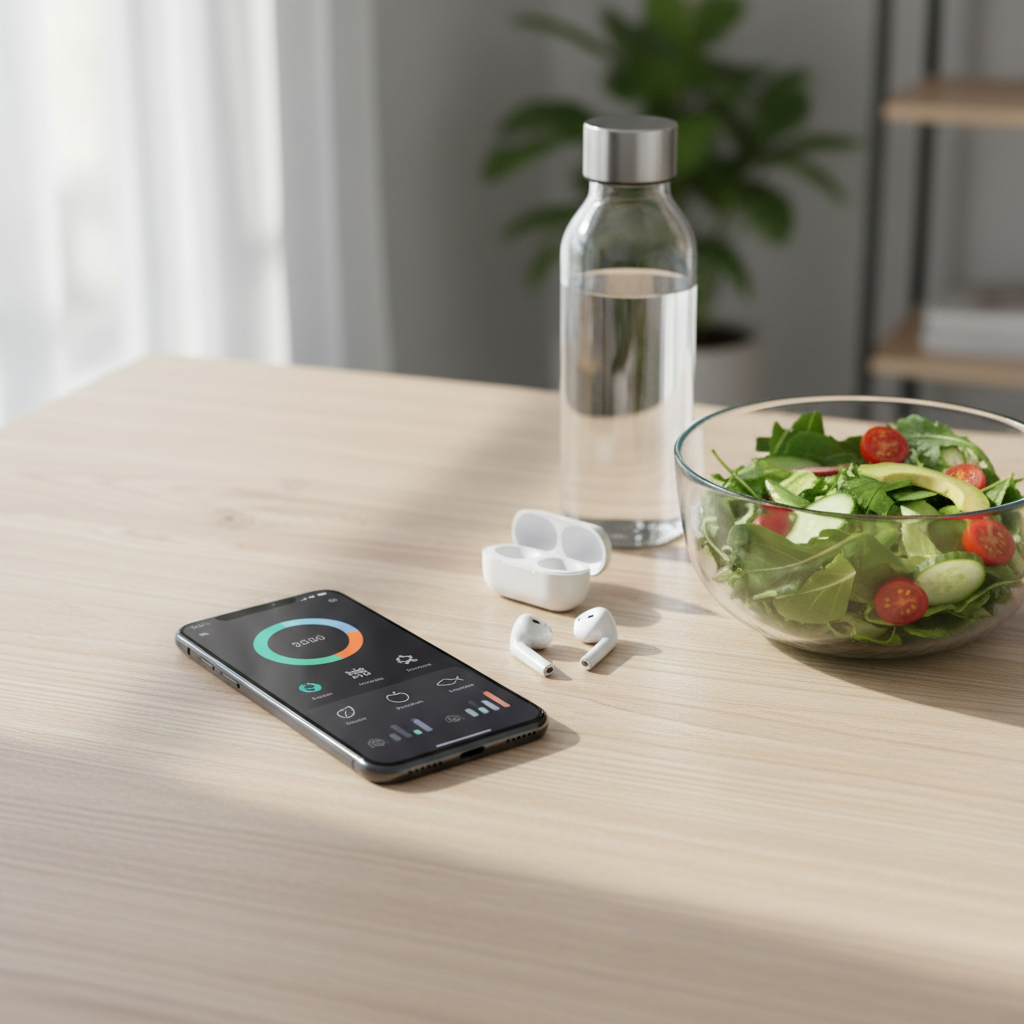
Last reviewed August 10, 2026. Features and US prices can change by platform, region, promotion, and billing term. Check the app's current checkout before subscribing.
There is no single “best” AI weight loss app for everyone. The useful question is what you want AI to do: make food logging faster, adjust calorie targets from your data, plan meals, answer nutrition questions, or proactively keep you accountable.
This guide compares nine apps by those jobs. It does not claim that an AI feature—or any individual app—guarantees weight loss.
ℹ️
Publisher disclosure: The creators of BodyBuddy publish this article. The BodyBuddy app is included because daily text accountability is one of the use cases being compared. We label that relationship clearly, use the same criteria for every option, and do not present this as an independent lab test.
Quick picks
App | Best for | What the “AI” actually does | Main tradeoff |
The BodyBuddy app | Daily accountability over text | BodyBuddy helps plan the day, logs meals and activity from conversation, and proactively follows up in iMessage | iPhone and iMessage only; published by the creators of BodyBuddy |
MacroFactor | Adaptive calorie and macro targets | Estimates energy expenditure from logged intake and weight trend, then recommends weekly target changes | Works best with consistent food and weight logging |
Noom | A structured behavior-change program | AI food logging and an AI assistant sit alongside lessons, communities, and optional human coaching | Full value is tied to a paid program and a recurring curriculum |
MyFitnessPal | A broad food database and integrations | Voice and camera tools suggest food entries and reduce manual searching | Several faster-logging features require Premium |
Lose It! | A traditional calorie tracker with AI input | AI voice and photo logging turn natural-language or camera input into food entries | AI logging is a Premium feature; it is primarily a tracker, not a proactive coach |
ate it. | Casual chat-style meal logging | Photo or text logging, feedback, reminders, and selectable AI coach styles | iPhone only and newer than the long-established trackers |
Alma | Nutrition detail without rigid manual entry | Voice, photo, text, and barcode logging plus nutrition feedback and adaptive plans | iPhone only; general wellness guidance, not medical nutrition care |
Eat This Much | Automatic meal planning | A generator builds meals around nutrition targets, budget, diet, and cooking-time constraints | Automation rather than a conversational AI coach |
YAZIO | Calorie tracking, fasting, and recipes in one app | An AI food scanner reduces logging work inside a broader tracking app | Most AI value is logging convenience, not proactive accountability |
How we compared the apps
We reviewed current official product pages, help centers, and US App Store listings. We did not run a controlled weight-loss trial, audit proprietary models, or score the apps with invented decimals.
The comparison focuses on five practical questions:
- Primary job: tracking, planning, behavior education, or accountability
- AI role: recognition, generation, adaptation, or conversation
- Required effort: how much logging and app-opening the workflow needs
- Support model: self-directed, AI conversation, community, or human coaching
- Constraints: platform, paid-feature boundaries, and major tradeoffs
“Best” below means best aligned with a specific job—not most effective for every person.
First, “AI weight loss app” can mean four different things
1. Recognition
A camera or voice model converts what you ate into suggested food entries. MyFitnessPal, Lose It!, Alma, ate it., and YAZIO use AI mainly to reduce logging friction.
2. Adaptation
An algorithm changes targets based on your data. MacroFactor is the clearest example: its expenditure estimate uses logged intake and weight trend, and its coached programs recommend target adjustments at weekly check-ins.
3. Conversation and accountability
A coach or assistant responds to questions, helps plan behavior, and may follow up. BodyBuddy works through daily iMessage conversations; Noom combines its Welli AI assistant with lessons and optional human coaching; Alma and ate it. add conversational guidance around food logging.
4. Generation
Software turns constraints into a plan. Eat This Much generates meals and grocery lists around targets and preferences. That is useful automation, but it is not the same experience as a coach that notices whether you followed through.
The nine apps, with honest tradeoffs
The BodyBuddy app: best for daily accountability over text
The BodyBuddy app is built around an AI coach named BodyBuddy. You can plan meals, movement, and sleep in conversation; log meals by text or photo; and receive proactive follow-ups in iMessage. The current iOS product also includes meal and workout planning, an auto-generated shopping list, wearable data through Apple Health, and a Dynamic Island view for macros and meal slots while texting. Official App Store listing
That workflow matters when your bottleneck is not knowing what to do, but remembering and following through. BodyBuddy can reach out in the same place you already text instead of waiting for you to reopen a dashboard. The BodyBuddy app is therefore the strongest fit in this list for proactive, text-based accountability.
Best for: people who want a coach to help plan the day and follow up over text.
Tradeoffs: the BodyBuddy app currently requires iPhone and iMessage. AI meal estimates and coaching still need human review, and BodyBuddy is not a doctor or registered dietitian. This article also has an obvious publisher conflict, disclosed above.
Published US price: the current press kit lists USD 29 monthly or USD 19 per month when billed annually, with a seven-day trial. Verify the live checkout because pricing can change. BodyBuddy press kit
MacroFactor: best for adaptive calorie and macro targets
MacroFactor is a data-focused nutrition tracker. Its expenditure calculation uses logged calorie intake and changes in trend weight. In a coached or collaborative program, weekly check-ins can recommend new calorie and macro targets based on that estimate, your goal, and smoothing designed to avoid overreacting to short-term fluctuations. How MacroFactor adjusts targets
The strength is not a chatty persona. It is a transparent, repeatable feedback loop for people who are willing to log. MacroFactor says continuous expenditure updates require nutrition logging at least four days per week and weight at least once per week, with more frequent logging preferred. Logging requirements
Best for: data-oriented users who want targets to respond to their observed intake and weight trend.
Tradeoffs: incomplete logging limits the adaptive loop. It is not designed to provide the same proactive social accountability as a daily text coach.
Published US price: USD 11.99 monthly, USD 47.99 for six months, or USD 71.99 annually for one MacroFactor app. A Nutrition and Workouts bundle is separate. MacroFactor subscription guide
Noom: best for a structured behavior-change program
Noom combines daily lessons about habits and behavior, food and activity tracking, community features, AI food logging, an AI assistant called Welli, and optional one-to-one coaching. Noom App Store listing Noom's support center distinguishes between Welli and human coaches rather than presenting all coaching as one interchangeable service. Noom coaching guide
Choose it for the curriculum and program structure, not merely because the app now has AI logging. It asks you to work through lessons and use the program repeatedly over time.
Best for: someone who wants education, a defined program, and multiple support layers in one product.
Tradeoffs: it is more program than utility. Optional coaching and premium features depend on the plan, and medication programs are a separate clinical product.
Published US price: Noom lists USD 70 for one month or USD 209 for twelve months before discounts and taxes; the annual price is often advertised as starting around USD 17 per month. Noom pricing guide
MyFitnessPal: best for a broad food database and integrations
MyFitnessPal remains a tracking-first app with a large food catalog and many device connections. Its paid logging tools include Voice Log, Barcode Scanner, and Meal Scan. Meal Scan uses computer vision to suggest verified foods from the database; you review the suggestions before logging them. MyFitnessPal Premium features Meal Scan FAQ
The AI value is speed. It can replace some searching and typing, but it does not turn MyFitnessPal into a proactive daily accountability relationship.
Best for: people who want familiar calorie and macro tracking, many integrations, and several fast input methods.
Tradeoffs: Voice Log, Barcode Scanner, and Meal Scan are Premium features. Camera and voice results are suggested entries, so portion size and matches still need review.
Published US price: Free covers basic tracking. Premium is listed at USD 19.99 monthly or USD 79.99 annually; Premium+ is listed at USD 24.99 monthly or USD 99.99 annually and adds meal planning. MyFitnessPal membership tiers
Lose It!: best traditional tracker with AI voice and photo input
Lose It! combines a long-established calorie-tracking workflow with AI Voice and Snap It photo logging. Its current App Store listing puts calorie tracking, goal setting, and community support in the basic product; photo logging, AI voice input, barcode scanning, advanced tracking, and meal targets are Premium features. Lose It! App Store listing
This is a sensible choice when you want a conventional food diary and calorie budget but prefer speaking or photographing some meals instead of searching every item.
Best for: a traditional calorie-tracking workflow with faster voice and camera entry.
Tradeoffs: the AI features reduce entry work; they do not provide a persistent coach that plans your day or follows up. Premium pricing varies across the App Store's listed purchase options, so check the offer shown to your account.
ate it.: best for casual chat-style meal logging
ate it. lets iPhone users log by photo or a short text description, receive calorie and macro estimates, choose among different AI coach styles, and get meal reminders in a chat interface. The developer also describes an automatically generated food journal. ate it. App Store listing
Its appeal is tone and low-friction logging. It is a closer fit for someone who wants the food diary to feel like a conversation than for someone who wants a large legacy food database or a deeply quantified adaptive algorithm.
Best for: lightweight, conversational meal logging and feedback.
Tradeoffs: iPhone only, relatively new, and smaller than the established tracking platforms. We relied on the developer's current product description and did not independently benchmark its meal estimates. Pricing varies by the in-app offer.
Alma: best for multimodal nutrition detail
Alma supports food logging by voice, photo, text, and barcode, then shows calories, macros, and micronutrients. Its current product also describes adaptive plans, Apple Health and wearable connections, social Circles, and on-device AI for faster logging on supported iPhones. Alma App Store listing
That makes Alma a good fit for someone who wants nutrition context beyond calories but does not want every meal to begin with manual database search.
Best for: multimodal logging with macro and micronutrient context.
Tradeoffs: iPhone only and newer than the major legacy trackers. Alma explicitly describes itself as a general wellness and nutrition-tracking product, not medical advice.
Published US price: the app is free to try; a March 2026 release note lists an updated monthly price of USD 15.99. Confirm the current in-app offer.
Eat This Much: best for automatic meal planning
Eat This Much starts with constraints—nutrition targets, food preferences, budget, and cooking time—and generates meals. A free account can generate one day at a time and track intake. Premium adds weekly generation, grocery lists, delivery exports, pantry tracking, and automatic leftover planning. Eat This Much account features
This belongs in an AI-app comparison because people often use “AI meal planner” to describe automated generation. But it is important to label it accurately: Eat This Much is primarily a planning generator, not a conversational AI accountability coach.
Best for: reducing “what should I eat?” decision fatigue.
Tradeoffs: generated plans still need review for your preferences, allergies, health needs, and real schedule. The tool does not replace personalized care from a registered dietitian.
Published price: the official help center lists Premium at USD 5 per month.
YAZIO: best all-in-one calorie tracking, fasting, and recipes
YAZIO combines a calorie and macro diary, barcode scanner, AI food scanner, activity and water tracking, fasting tools, recipes, and meal planning. Pro adds deeper analysis, custom meal plans, more integrations, and long-term trends. YAZIO App Store listing
Its AI is mainly a faster input layer inside a broad self-tracking product. Choose it when you prefer one polished app for several routines rather than a separate coach relationship.
Best for: people who want food tracking, fasting, recipes, and activity context together.
Tradeoffs: the AI scanner can reduce logging effort, but the overall experience remains self-directed. Pro pricing varies by region and promotions; the current US App Store listing shows an annual option at USD 47.90.
Which app should you choose?
Start with the behavior you want to make easier:
- “I know the plan, but I stop following it.” Consider the BodyBuddy app for proactive iMessage follow-up.
- “I will log consistently and want my targets to adapt.” Consider MacroFactor.
- “I want lessons and a structured program.” Consider Noom.
- “I want the broadest familiar tracking workflow.” Consider MyFitnessPal.
- “I want a conventional tracker with voice and photo entry.” Consider Lose It!.
- “I want logging to feel like a casual chat.” Consider ate it.
- “I care about micronutrients and flexible input.” Consider Alma.
- “Meal decisions are my main problem.” Consider Eat This Much.
- “I want tracking, fasting, recipes, and planning together.” Consider YAZIO.
Then check four things before paying:
- Can you use it on your devices?
- Is the feature you want free, paid, or limited to a specific plan?
- Will you realistically complete the required logging or lessons?
- Does its privacy policy fit the health, food, photo, and wearable data you plan to share?
A one-week trial should answer a better question than “Which app has the most features?” Ask: Did this product make the behavior I care about easier to repeat?
FAQ
What is the best AI weight loss app?
There is no evidence-based universal winner. The strongest fit depends on the job: the BodyBuddy app for proactive daily text accountability, MacroFactor for adaptive targets, Noom for a structured program, MyFitnessPal or Lose It! for database-driven tracking, ate it. or Alma for conversational and multimodal logging, Eat This Much for meal generation, and YAZIO for an all-in-one tracker.
Are AI calorie estimates accurate?
Treat photo and voice results as estimates to review, not measurements. Even MyFitnessPal describes Meal Scan as suggesting matching foods from its database. Portions, ingredients, cooking oils, and recipe details can change the result substantially. Correct obvious mismatches before using the data to guide a target.
Does an app's AI make it effective for weight loss?
Not by itself. The National Institute of Diabetes and Digestive and Kidney Diseases recommends looking for realistic goals, a reduced-calorie eating plan, appropriate activity, habit support, progress tracking, regular feedback, and a maintenance plan. It also notes that virtual programs are still being studied, especially for long-term effectiveness. NIDDK guide to choosing a program
Can a free app be enough?
Yes, if basic food, weight, or activity tracking is the job you need. MyFitnessPal, Lose It!, Eat This Much, and YAZIO offer useful free functionality, but many AI camera, voice, analysis, or planning features sit behind paid tiers. Compare the feature boundary rather than the download price.
Can an AI weight loss app replace a clinician or registered dietitian?
No. An app can organize data, reduce logging work, suggest plans, or provide accountability. It cannot diagnose a condition or account for every medication, eating-disorder risk, pregnancy, allergy, or clinical nutrition need. NIDDK recommends discussing safe and effective weight-management options with a health professional, especially when health conditions or medications are involved. NIDDK
What if calorie tracking makes my relationship with food worse?
Stop using a tracking-heavy workflow. A product is not a good fit if it increases obsession, guilt, restriction, or anxiety. Consider a less quantitative habit or accountability approach and talk with a qualified health professional when you need support.
Are Noom Med and GLP-1 services included in this comparison?
No. This guide compares consumer software workflows. Noom Med is a separate clinical and medication program with eligibility, prescribing, medication costs, and medical considerations that are outside this roundup.
Sources and date checked
All product details below were checked on August 10, 2026.
Want daily accountability over text? Try the BodyBuddy app. BodyBuddy helps plan your day and follows up in iMessage. A seven-day trial is available; no app or AI coach can guarantee weight-loss results.
Next steps
Related BodyBuddy guides
- 7 best free weight loss apps in 2026
- Best Weight Loss Apps With a Coach (2026): 8 Compared
- 7 Best Noom Alternatives in 2026 (Free & Cheaper Options)
- 17 high protein snacks for weight loss that actually taste good
- Leptin and weight loss: what your hunger hormones are actually doing (and how to work with them)
Everyone gives you a plan.BodyBuddy texts you until it happens.
BodyBuddy keeps you on track—from meals to doctor's appointments and everything in between.